
Windows app · Free · All your games
Clip with one key.Stream whenever you want.
G4 Studio runs during your game. One key keeps the last few seconds, with game sound and mic. You trim the best part, send it to your profile, or go live on Twitch.
 0:30
Rush down the alley
Wardogs · game and mic
- €0to install and try
- F9keeps the moment, in game
- 1080pup to 60 frames per second
- 1 minfree · 5 min with Premium
Studio
Your stream already has its set.
Four ready-made scenes: starting soon, in game, desktop, break. Webcam, Twitch chat, follow alert and kill feed sit on the picture. You frame it, set the sound your audience hears, and click Start stream.
- Your Twitch channel, and the g4melab.fr live page
- Wardogs or plain theme, your own logos and images
- You stream on your channel without any approval. The authorisation is only for appearing on the G4MELAB control-room channels
Stream scene
Theme
Wardogs Plain
G4MELAB · Live in a moment
The stream is about to start
07:42
G4MELAB · Break
Be right back
Stay in the chat, we’ll be back in a moment.
Upcoming streams
Fri 21:00 Wardogs
Sat 18:00 Valorant
Nova tank on the right
Luka I’ll cover the entrance
Mira clip that
Schedule
The week, in the same window.
Streams and availability on the Wardogs server, in the same place as your clips. A reminder 15 minutes before. A link to paste on your site, Discord or channel: it updates itself.
- One-off or weekly slot
- Share as a link or iframe
- Your colours with Premium
Mon
Tue
Wed
Thu
Fri
Sat
Sun
Why try it
Everything is already in the app.
In pictures
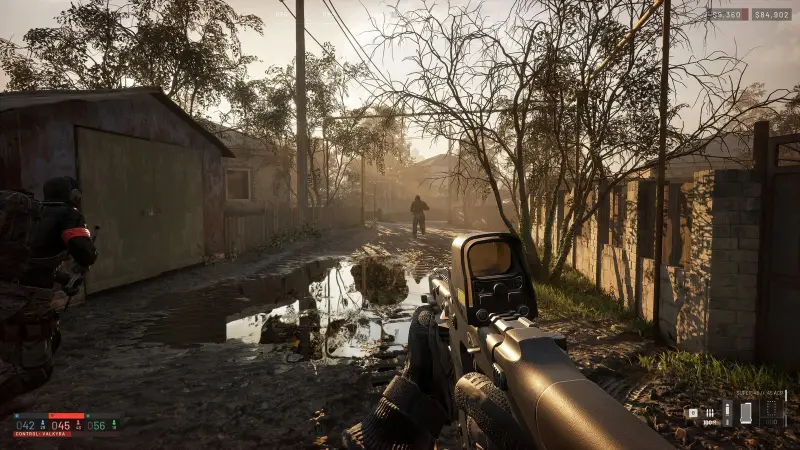
The kind of shot F9 keeps.
Wardogs matches, the kind of footage G4 Studio can clip. Click to enlarge.


Three steps
Installed before your next game.
-
01
Download
A Windows setup. The app opens on My clips, updates itself, and comes back from the icon near the clock. You link your Steam account.
-
02
Play
Apex, CS2, League of Legends, Valorant, Wardogs, whatever game you launch. Recording starts with it. Nothing else to open.
-
03
F9
The banner confirms on screen. 30 seconds by default, from 10 seconds to 1 minute, 5 minutes with Premium. You publish, trim, or start the stream.
Ready for the next game
Your next clip is one key away.
Install G4 Studio, launch a game, press F9. You’ll know right away if the app suits you.
- A recent NVIDIA, AMD or Intel GPU. Otherwise G4 Studio can fall back to OBS Studio.
- On first launch, Windows may show “Windows protected your PC”. Choose More info, then Run anyway.
- You can stream on your Twitch channel without G4MELAB’s approval. The request, in the app settings, is only so G4MELAB can broadcast your stream on its control-room channels.