
Discord Activity · Gaming communities · In development
Your community’s schedule.Inside Discord.
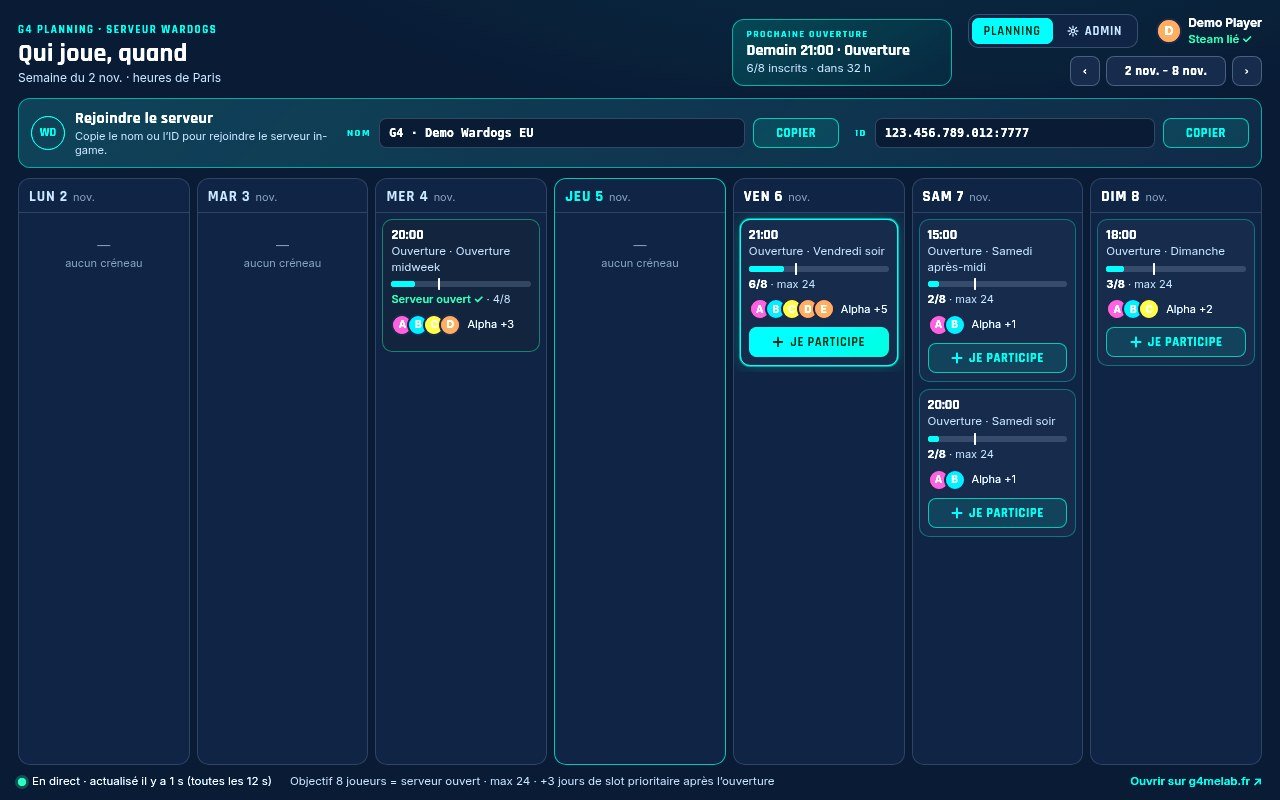
G4 Planning adds a scheduling window to your Discord server. Players see the week, sign up and get reminders. You manage slots, sign-ups and Wardogs priority without leaving Discord.
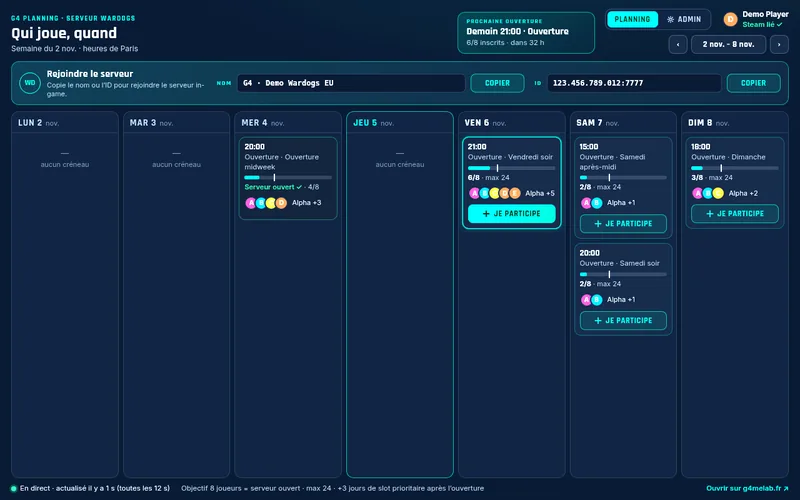
For your community
Everything you need to fill a session.
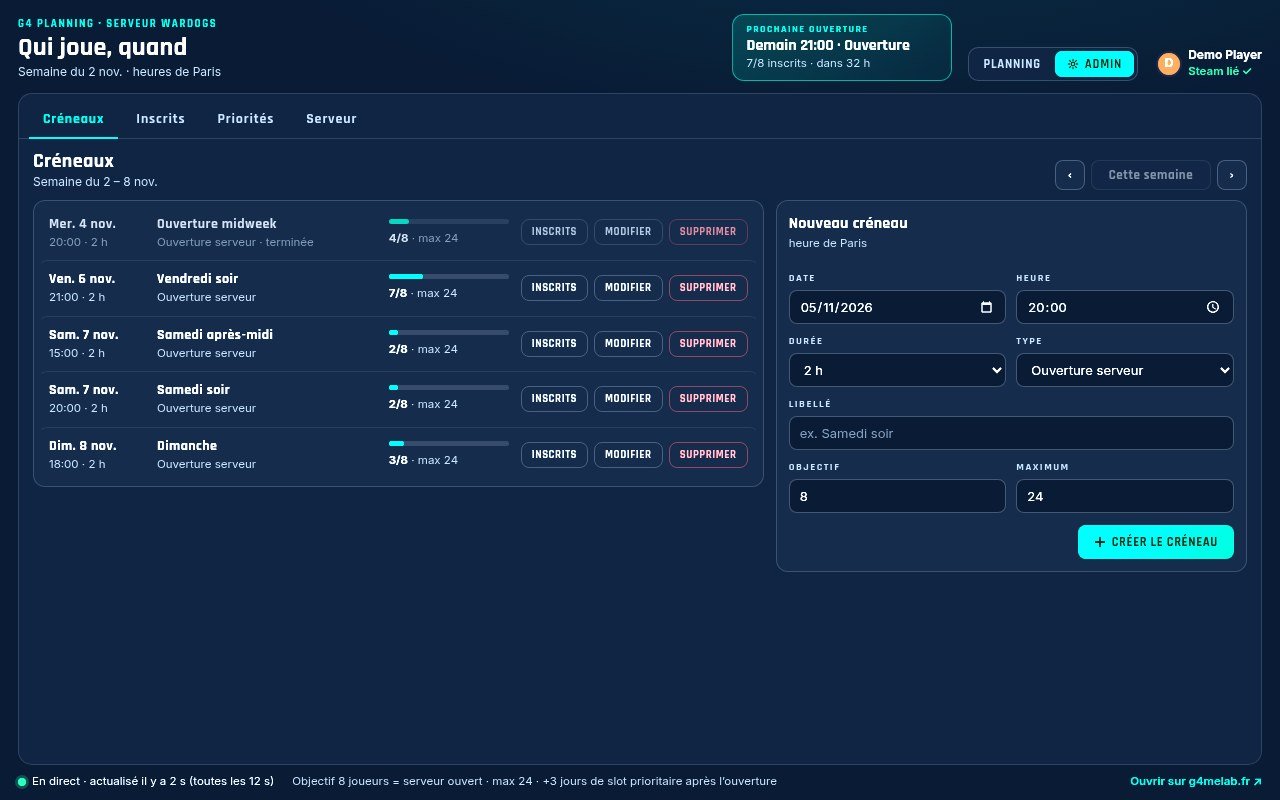
Admin tab
Admins stay in Discord.
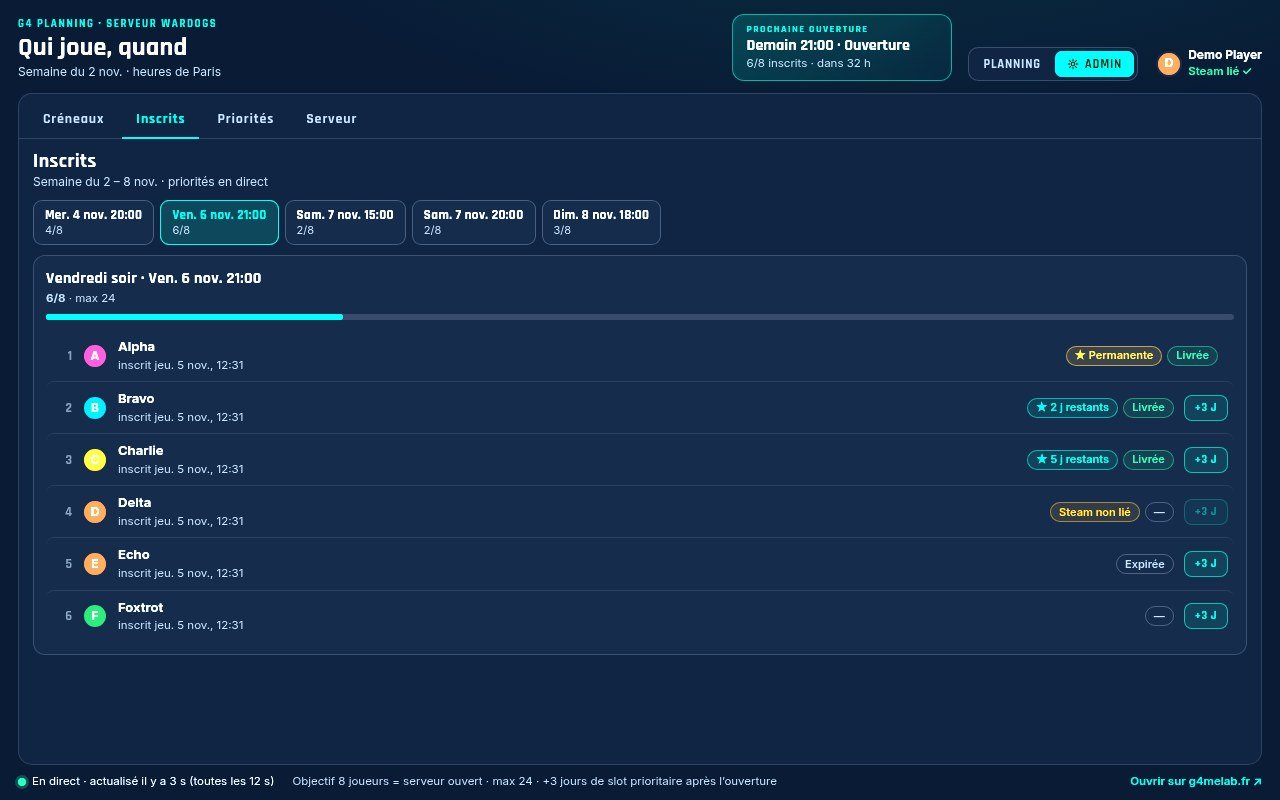
Slots, sign-ups, priority, game servers: everything is set in the Activity by members with “Administrator” or “Manage Server”. Billing and RCON stay on the web dashboard.
- Opening, catch-up or regular session slots
- Sign-up list and open spots
- Temporary or permanent priority
- Pick which game server a slot is for
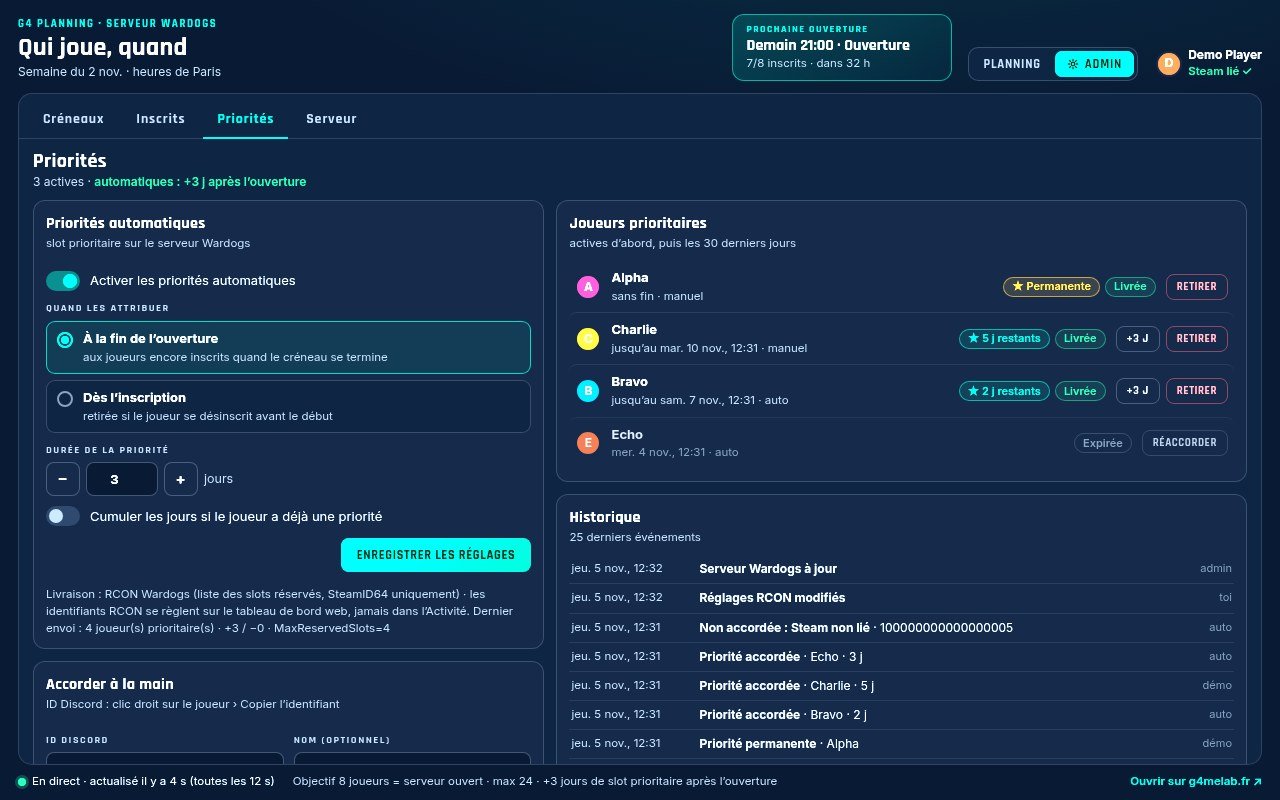
Wardogs priority
Priority for a few days, or for good.
Choose how many days a player keeps priority after a session, or grant permanent priority. G4 Planning talks to the official Wardogs RCON. The player’s Steam account comes from their Discord connection.
- Adjustable number of days, or permanent
- Granted automatically after the session or at sign-up
- Manual grant or removal, with history
- Expires automatically when time is up
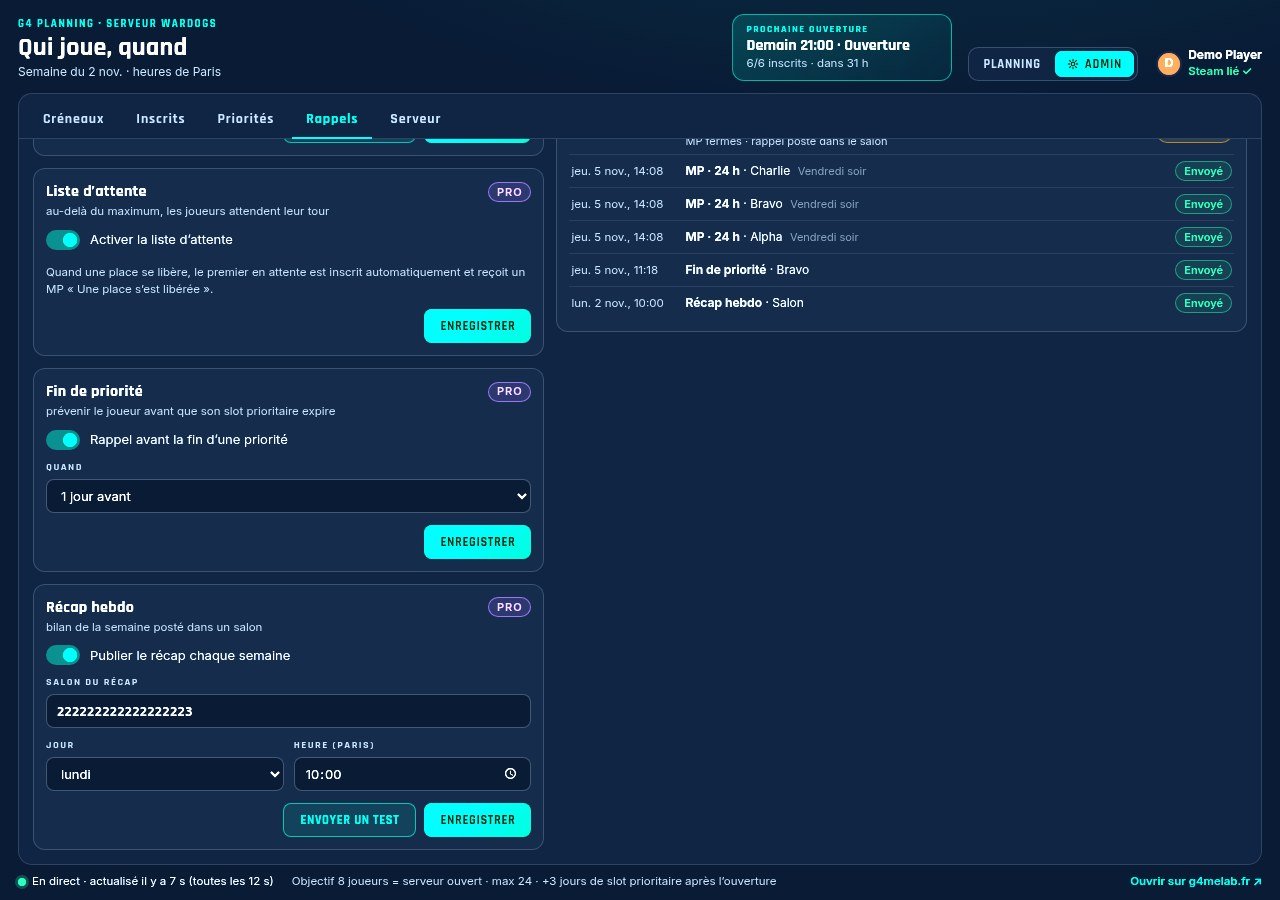
Reminders
Fewer no-shows, more spots filled.
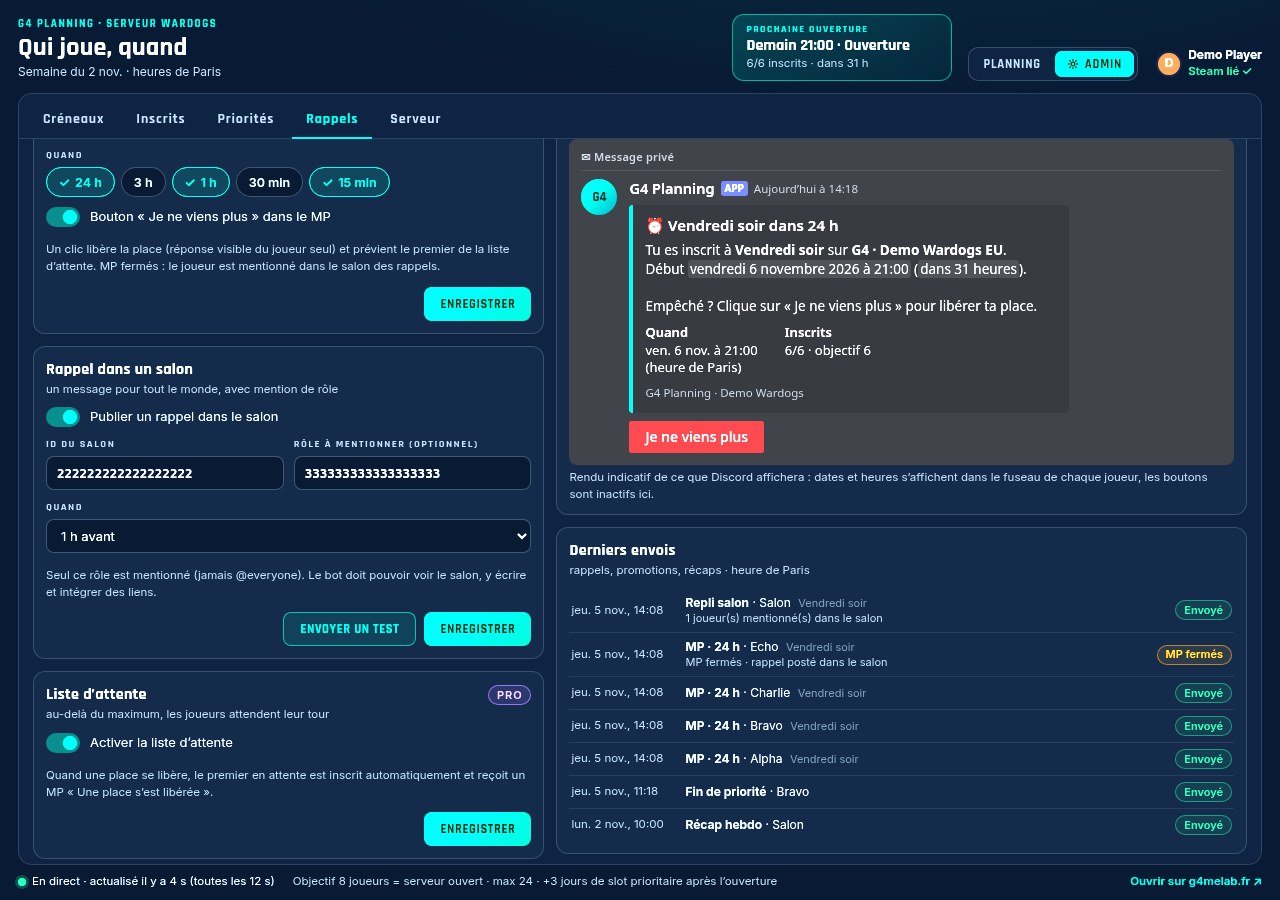
Private messages before the session, a “Can’t make it” button, a channel reminder with a role mention. On Pro: a waitlist that moves up on its own, priority-expiry alerts and a weekly recap.
- DMs 24 h, 1 h, 15 min before (and more)
- “Can’t make it” button frees the spot
- Channel + role, never @everyone
- Pro: waitlist, alerts, weekly recap
Website add-on
The same schedule, on your website.
A script or a WordPress plugin shows the schedule on your community’s website. Sign-ups stay in sync with Discord.
Previews
What your players see.
Demo data. Click to enlarge.
Screenshots shown in French until the English version of the app is ready.
Pricing
Pick a plan. Add the website option if you want.
To try it out
Free
€0- Weekly schedule
- “I’m in” sign-ups
- Live counters
- 1 game server
Community
Discord
€7.90/month- Everything in Free
- DM and channel reminders
- “Can’t make it” button
- 1 game server
- or €79 / year (2 months free)
Most complete
Pro
€12.90/month- Everything in Discord
- Automatic priority (days or permanent)
- Admin tab inside Discord
- Advanced reminders: waitlist, alerts, recap
- Up to 3 game servers
- Extra servers available as an add-on
- or €129 / year (2 months free)
Add-on
Website
+€4.90/month- Schedule on your site
- Script or WordPress plugin
- Synced with Discord
- or +€49 / year
- with Discord: €12.80 · with Pro: €17.80
Public prices in euros. Online payment is coming later; for now, we’re opening a waitlist.
Three steps
Ready as soon as your Discord is.
-
01
Install
Add the G4 Planning Activity to your Discord server. Each community gets its own space.
-
02
Set up
Slots, game servers, reminders, priority. Admins do it in Discord; the RCON password is entered on the web dashboard.
-
03
Open
Players sign up, get reminders, and the spots fill up. Optionally, the same schedule on your website.
Questions
Frequently asked questions
Is G4 Planning available in my language?
Yes. The Activity is available in English, French, Spanish and German. Each player sees it in their own Discord language and gets DMs in that language. The pinned message and channel reminders use the language your community picks.
Can I manage several game servers from one Discord?
Yes, on the Pro plan: up to 3 game servers, each with its own RCON, schedule, pinned message and priority list. Extra servers beyond 3 are available as an add-on. The Free and Discord plans handle 1 game server.
Which games are supported?
Wardogs today, with automatic priority through the official RCON. A raid planner for WoW: Forever is in the works.
Do I have to pay to try it?
No. The Free plan lets you try the schedule and sign-ups. Nothing is charged until the product opens to the public.
Is it the same as the schedule on g4melab.fr?
No. The /planning/ page shows the G4melab team’s own schedule. G4 Planning is the product each community installs on its own Discord.
In development
We’ll let you know when it’s ready.
Join the G4melab Discord for the waitlist, or message us if you want early access for your community.
- G4 Planning is separate from /planning/, the G4melab team’s public schedule (in French).
- Already clipping your games? Check out G4 Studio, the team’s Windows app (in French).
- Published by the French non-profit TURBO MEDIA · nothing is charged until the product opens to the public.