

To try it out
Free
€0
G4 Planning · World of Warcraft
Raid planner for WoW guilds. Discord scheduling for raids, BGs and activities — without leaving your server. Catalogue and Battle.net import are WoW: Forever–oriented today.
WoW features
The WoW features of G4 Planning, as they exist in the product.
Tank, heal and DPS: each member signs up for a role. You see the gauge before the pull.
Depends on plan
Groups of 10, 15 or 40. On Discord/Pro with auto-bench on, seats fill automatically; on Free, each player picks “Bench OK”. BG roles are indicative only.
Depends on plan
A fixed weekly raid: the grid recreates itself. Fewer messages, more attendance.
Depends on plan
Up-to-date pinned message and DM or channel reminders before raids and BGs (depends on plan). Officers stop chasing people by hand.
Beyond raids: farming, mounts, guild nights. Same sign-up in the Activity. Automatic reminders cover raids and BGs, not activities.
+1 rule, reserve history. Everyone sets a soft-reserve before the raid; loot stays clear.
Members link their Battle.net account: Forever classes and characters land in the schedule, no spreadsheet (subject to Blizzard’s terms).
Who creates raids, who manages loot, who sees admin: permissions follow your guild roster.
How it works
Install the G4 Planning Activity on your guild’s Discord. Each community gets its own space.
Pick the day, time and composition. Officers stay in Discord.
They choose their role, get reminders, and you see who’s missing before go-time.
Demo
Real WoW grid, read-only. To sign up for G4melab raids, open the public schedule.
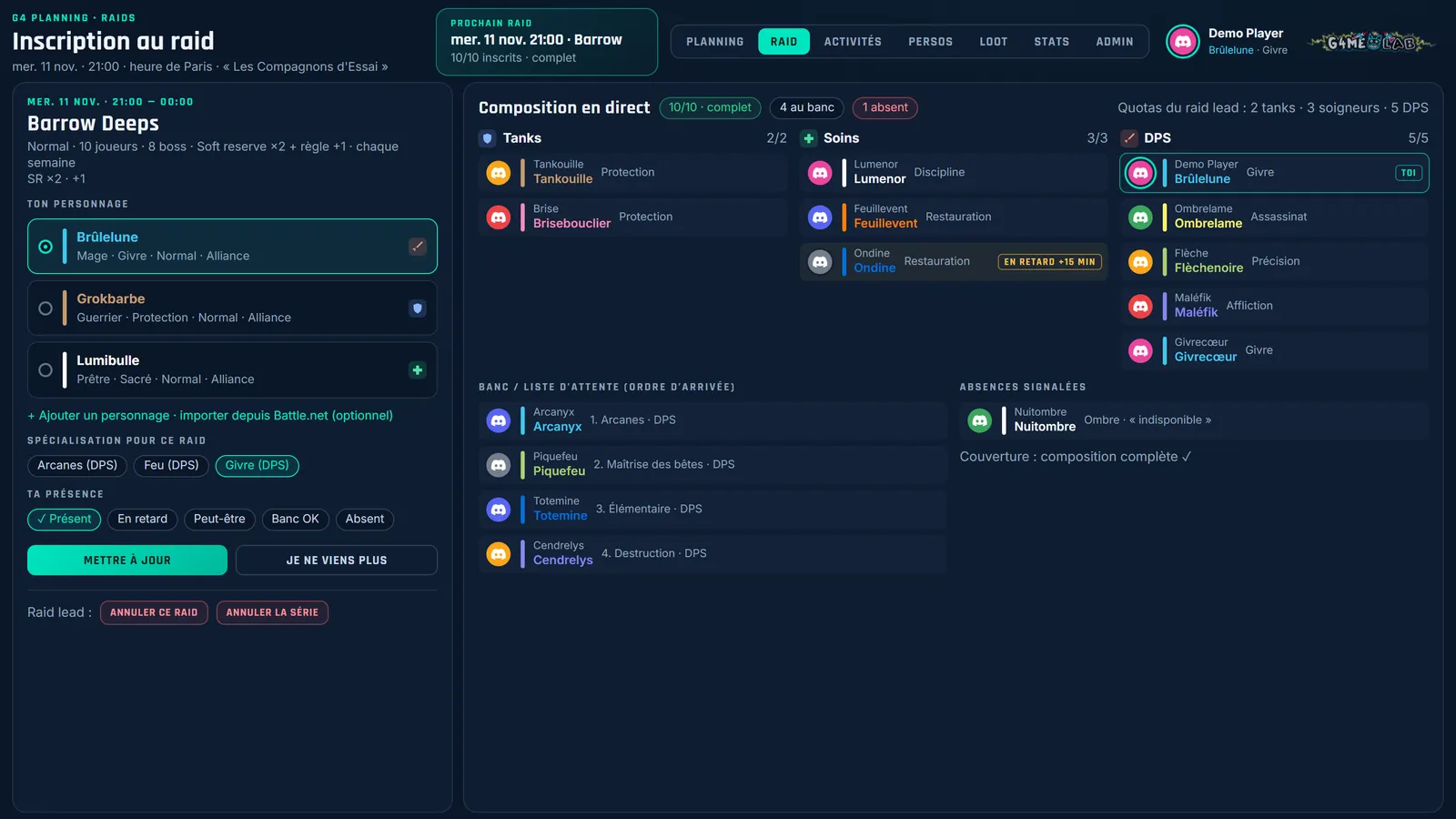
Example · read-only
Week of 2 to 8 November 2026
No WoW raid or activity this week.
Plans
Plan summary; full details are on the G4 Planning product page.
To try it out
€0
Community
€7.90/month
Most complete
€12.90/month
WoW: Forever
World of Warcraft: Forever has been available since 5 November 2026, Paris time, per Blizzard’s announced schedule. A reimagined Azeroth, new guilds — and a Discord schedule to keep them together.
Questions
Yes for trying it out: Free covers scheduling, sign-ups and a limited volume of raids or BGs (manual “Bench OK”). Discord and Pro add reminders, recurrence, automatic bench (when enabled) and advanced options.
No. G4 Planning runs in Discord. The website option is an add-on for Discord and Pro plans only — not Free.
You can schedule your guild’s raids and BGs on Discord on any game version. Today the catalogue and Battle.net import are WoW: Forever–oriented; Classic and Retail remain a Discord scheduling target without the same game-data depth.
Battle.net import (Forever profile) is included on every plan, subject to Blizzard’s terms. Data feeds your guild schedule, not a public tracker.
Add G4 Planning to your guild’s Discord. Free to start.
Not affiliated with Blizzard Entertainment. World of Warcraft is a trademark of Blizzard Entertainment, Inc.